
GB303 MIDI
A downloadable Gameboy ROM
GB303 MIDI is a re-imagining of GB303; a now abandoned chiptune Gameboy cartridge from the mid-2010’s that had knobs poking out the top.
It recreates some of the sound of the Roland TB303 in a bitcrushed chiptune style. GB303 MIDI enables full MIDI control over the previously limited cartridge, as well as ease of use letting you load the rom onto any Gameboy compatible cartridge.
Premade physical cartridges can be purchased from my friend over at Hobbychop. I highly recommend all the music gear over there.
License: (CC BY 4.0) Zerabosk 2026. http://creativecommons.org
MIDI Support
MIDI control requires an Arduinoboy. You can buy premade ones from Hobychop also.
Note Range: C5 (MIDI note 72) to C9 (MIDI note 120) - Though it sounds best in octaves 6, 7 and 8.
MIDI Channel (1-16): Select the MIDI channel using the D-Pad. Only messages matching the selected channel will be processed.
MIDI Control Changes (CC):
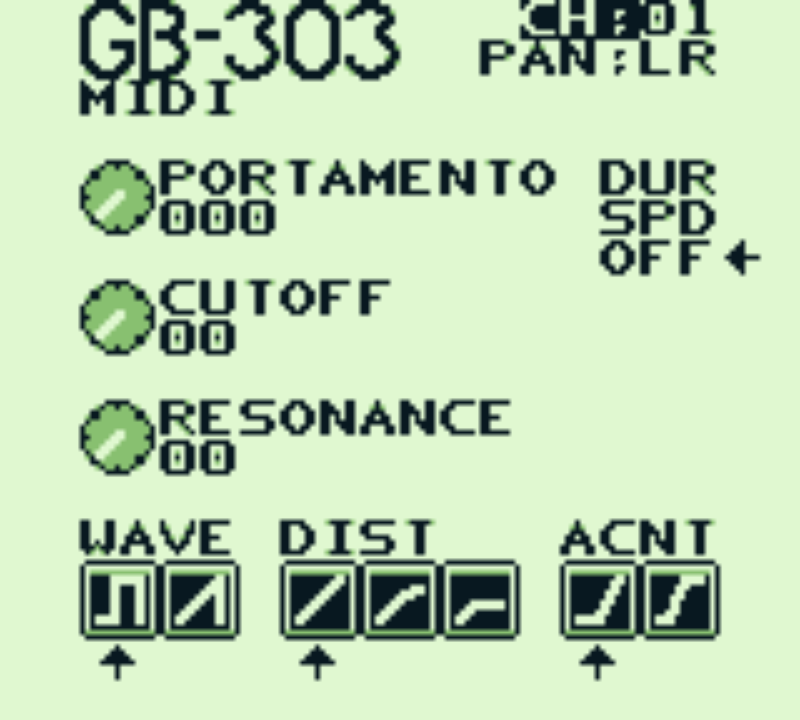
CC 1 - Accent (0-63 = off, 64-127 = on)
CC 2 - Wave Type (0-63 = square, 64-127 = saw)
CC 3 - Distortion (0-42 = off, 43-85 = soft, 86-127 = hard)
CC 5 - Portamento Speed (0-127, default: 24, 0 = disabled)
CC 10 - Pan (0-63 = left, 64 = center, 65-127 = right)
CC 65 - Portamento Mode (0-42 = OFF, 43-85 = SPD/Speed mode, 86-127 = DUR/Duration mode)
CC 71 - Resonance (0-127 mapped to 0-15)
CC 74 - Cutoff (0-127 mapped to 0-95)
Button Controls:
Up/Down Button - Selects parameter (highlighted)
Left/Right Button - Increments / decrements value.
Original GB303 Cartridges
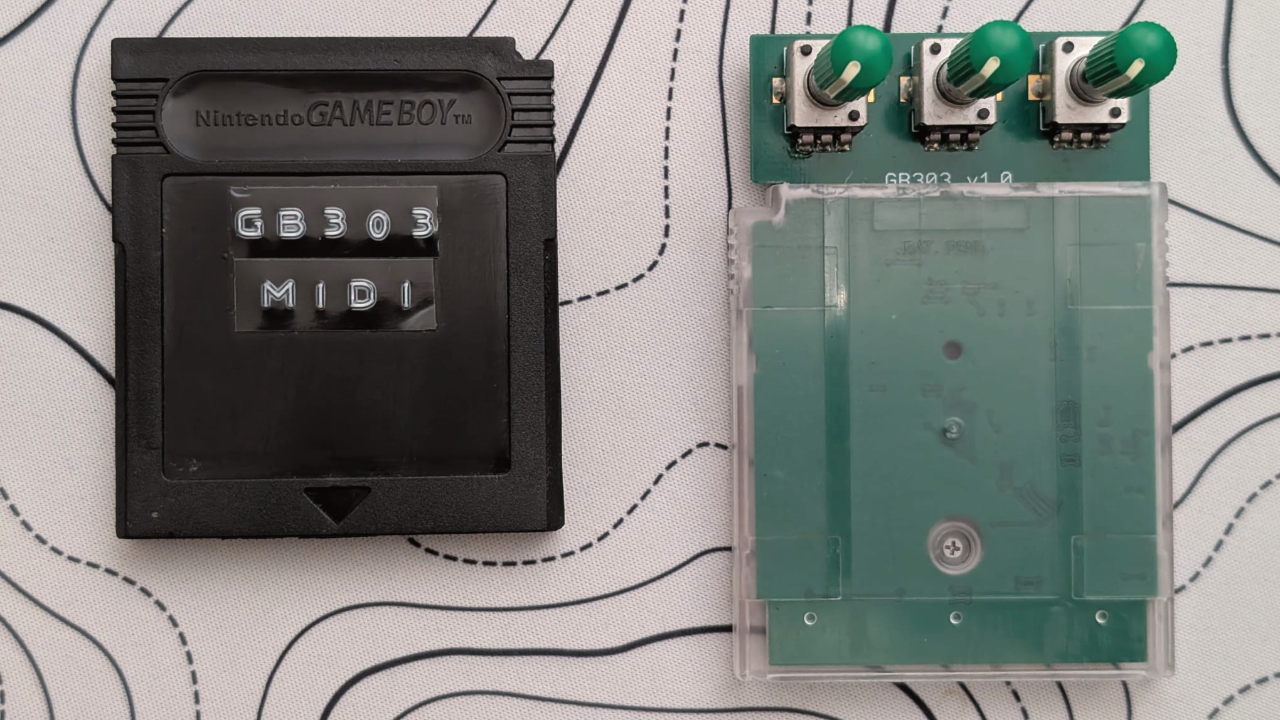
GB303 MIDI supports original GB303 cartridges (at least those produced by InsideGadgets) Simply flash it with this ROM, its completely reversable so make sure you back it up first! The three hardware knobs provide direct control over key parameters: Portamento Speed, Cutoff & Resonance.
These parameters can be controlled either by the physical knobs or via MIDI CC messages.
A last-touch latching system prevents the controls from fighting each other:
- If you move a knob, that knob controls the parameter until a MIDI message changes it.
- If a MIDI CC message is received, MIDI takes control until the knob is moved again.
- Knobs only take control when moved, so incoming MIDI automation is not overridden by the current knob position.
Purchase
In order to download this Gameboy ROM you must purchase it at or above the minimum price of $10 USD. You will get access to the following files:
Development log
- Added Support for GB303 Carts43 days ago
Comments
Log in with itch.io to leave a comment.
This is fantastic! Just in time for 303 day too!
Some feedback for future updates:
* The first thing I tried to do was use it with the filter input on my 303 clone but unfortunately the highest midi note it outputs isn't in range for the cart, I wish I had some way to offset the note range...
* It would also be nice if there was a faster way to turn the virtual knobs, maybe by holding down a button while tweaking the D-Pad? (Tho tbh I probably should just be using a midi controller with mappable knobs, so glad to see everything is controllable)
* The DUR/SPD/OFF menu from a UX standpoint- I know there's limited real estate, but the fact that it's in the middle of two knobs and directionally different from the rest of the controls throws me for a loop mid performance. Maybe it could be squeezed in as a horizontal menu between Pan and Portamento?
Thanks for putting this together though I've been dying for it!
so cool!